Connect to Campus "CMCWifi"
Android Devices: Samsung (Galaxy Tabs, S and Z series), Google (Pixel phones and Tablets), OnePlus, Xiaomi, and Motorola.
- Open the device’s settings app
- Select Network & Internet or Wi-Fi
- Select “CMCWifi” from the list of available networks
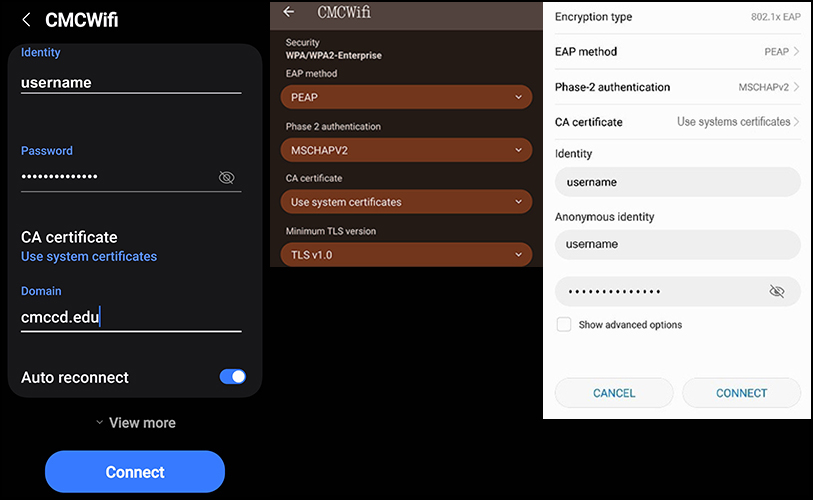
- EAP method – Select “PEAP”
- Phase 2 authentication – Select “MSCHAPv2”
- CA Certificate – Select “Use system certificates”
- Enter your CMC Student/Faculty/Staff Username and Password
- Identity – Enter username
- Password – Enter password
- Anonymous identity – Enter username
- Domain – Enter “cmccd.edu”
- Click Connect at the bottom of the configuration dialog