Chromebook
- Open the device’s Wi-Fi settings
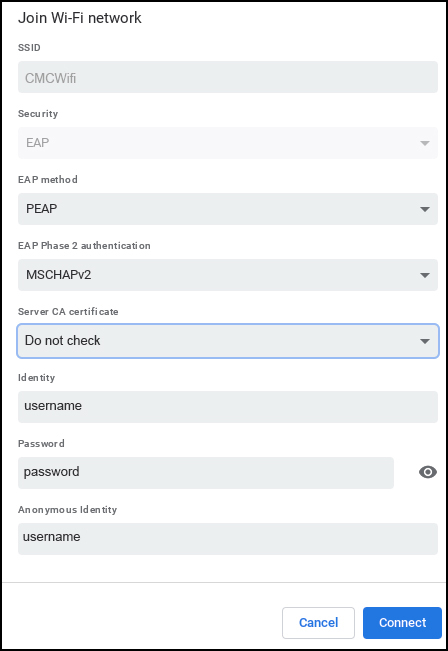
- Select “CMCWifi” from the list of available networks
- EAP method – Select “PEAP”
- Phase 2 authentication – Select “MSCHAPv2”
- CA certificate – Do not check
- Enter your CMC Student/Faculty/Staff Username and Password
- Identity – Enter username
- Password – Enter password
- Anonymous identity – Enter username
- If requires Domain – Enter “cmccd.edu”
- Click Connect